 RouteAll
Pennsylvania Permit Reading Guide
Sources Reviewed: October 23, 2026
Read a Pennsylvania hauling permit by separating authorized state routes from the connecting roads controlled by other authorities. PennDOT’s instructions explain special route punctuation, four-digit state routes and return-trip requests. Check the issued route, load details and applicable conditions before treating the trip as ready.
On This Page
Which Pennsylvania Documents Should You Read Together?
Read the issued APRAS permit with the conditions and supporting documents referenced by that permit. PennDOT's hauling-permit resources include M-938 urbanized-area conditions, route-survey forms and traffic-control figures. Their availability does not mean every form applies to every trip.
Start by listing the documents actually attached or named. Keep applications and surveys distinct from the issued authorization, so a driver does not mistake a proposed route for the approved one.
- Issued permit: Match its current revision to the assigned load and travel dates.
- Route pages: Save every page containing roads, directions and move-specific instructions.
- Referenced conditions: Open the exact map, figure or condition sheet named.
- Other approvals: Keep local-road and separately controlled-road permissions with the trip.
A useful review note states what is missing, not merely that the package seems incomplete. Ask the permit service for that exact page or reference.
What Do Pennsylvania Route Numbers And Punctuation Mean?
PennDOT's application instructions explain how to distinguish traffic-route numbers, four-digit quad state routes and non-state connections. They also describe exit-number notation and local-road identification. Use the M-936A route instructions when the issued route contains unfamiliar punctuation or a number absent from roadside signs.
Do not erase brackets, parentheses or quotes when making trip notes. Their purpose is to keep different pieces of the route understandable, not to decorate the road list.
- Traffic route: Compare the signed route number and travel direction.
- Quad state route: Preserve all four digits when identifying a less familiar connector.
- Non-state connection: Identify the road owner and the permission needed for that segment.
- Exit reference: Match the interchange to the incoming road, direction and outgoing road.
Ask the issuer to clarify a notation you cannot locate. Guessing from a similar road name can create the wrong turn while leaving the overall destination unchanged.
Does The Permit Cover Your Return Or Service Stop?
A Pennsylvania single-trip permit does not automatically authorize the return journey. PennDOT's instructions say return authority must be requested and specifically indicated. They also describe service or rest detours that require a request and explicit permit authorization. Read what the issued document actually approves.
The M-936A instructions refer return-route requests to the supplemental form. A completed delivery does not answer whether your trailer, remaining load or return configuration needs separate authority.
- Read the trip direction: Match the authorized origin and destination.
- Find return authority: Check the issued copy rather than the original dispatch request.
- Locate planned stops: Compare any proposed off-route service access with the permit.
- Check the return load: Review the equipment configuration after unloading or reloading.
Our permitted-route planning guide helps separate delivery routing from the additional questions created by fuel, rest and return travel.
Which Pennsylvania Load Details Need A Second Look?
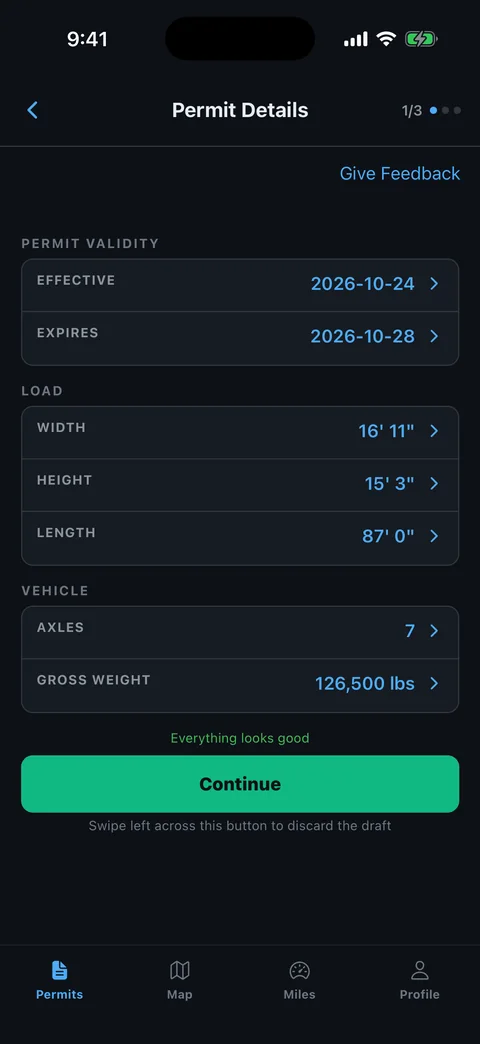
Compare the permit’s loaded dimensions, vehicle information and axle arrangement with the equipment at departure. Read the figures one at a time. The correct gross weight or destination does not establish that the remaining permit information matches today's movement.
Prepare a separate comparison sheet, especially when a trailer or tractor changes after the application. Keep the original permit intact.
- Vehicle identity: Match every truck and trailer identifier shown.
- Loaded dimensions: Check overall height, width, length and the actual transport position.
- Axle data: Compare weights, groupings and spacings with the configuration used for the application.
- Load description: Confirm that it describes what is on the trailer.
- Effective period: Check both the intended entry and the planned completion against the printed dates.
Use the common permit errors guide to formulate a correction request. Report measured differences rather than asking whether an old permit is close enough.
How Should You Read Urban And Move-Specific Conditions?
Read Pennsylvania's urbanized-area reference and any move-specific conditions as separate planning inputs. PennDOT publishes the M-938 map and conditions alongside its hauling resources. An address inside a city is not enough to identify every applicable route or time restriction.
Trace the approved roads against the relevant conditions and write down the places that change the operating plan. Keep a restriction associated with its road segment rather than flattening everything into a departure-time note.
- Restricted segment: Identify the road and boundaries to which the condition applies.
- Required operation: Note escort, traffic-control or bridge instructions printed for the move.
- Schedule dependency: Confirm meeting arrangements before approaching the affected segment.
- Changed conditions: Ask the issuer about a closure or conflict on the permitted roads.
Our travel-time planning guide helps organize waiting and departure decisions. It does not authorize a different time or route.
How Can RouteAll Help With Pennsylvania’s Road List?
RouteAll can extract a permit PDF or photo into a route for your manual review. Pennsylvania's quad route numbers, interchange references and separately controlled connectors make that comparison especially valuable. Preserve the original road sequence and resolve anything that does not match the issued text.
The permit-to-GPS workflow explains the driver confirmation step. Review the route where it changes roads, not only where it starts and finishes.
- Numbers and directions: Check the complete state-route identifier and direction of travel.
- Connections: Inspect short ramps and roads that link longer highway sections.
- Authority: Keep local approvals and return-trip permission available beside the map.
- Crew copy: Use the escort route-sharing workflow to discuss the same reviewed trip.
RouteAll does not issue or amend PennDOT permits, grant local-road permission or certify bridge clearance. Correct the underlying permit with the issuer when a route or load detail is wrong.
Pennsylvania route numbers and punctuation carry meaning, so follow the oversize permit route turn by turn exactly as the road list is written.
The Permit Check In One Minute
Pennsylvania permit reading depends on the road list as much as the load figures. Preserve the route numbers, directions and punctuation in the issued APRAS document. Use PennDOT’s instructions to understand four-digit quad state routes and the connecting roads controlled by other authorities. Check the actual vehicle, loaded dimensions and axle arrangement before departure. Look for explicit return-trip or service-detour authorization instead of assuming the outbound trip covers it. Read applicable urbanized-area and move-specific conditions with the route. If something is missing or a road is closed, ask the issuer for correction. RouteAll can organize the permit into a route for manual review, while the issued permit and other approvals remain the basis for the movement.
Before You Roll
Locate every unfamiliar Pennsylvania route number and confirm all non-state-road permission. Check explicit return authority before building an outbound-and-back plan.
Further Reading
Sources And Scope
This guide explains how to read the state’s published permit material. Your issued permit and incorporated conditions govern the move. Check the linked agency material for updates.
- Apply For A PennDOT Hauling Permit — APRAS; hauling resources; M-938 urbanized-area conditions; route and traffic-control supporting forms.
- M-936A Oversize/Overweight Application And Instructions — Route numbering/punctuation, local roads, explicit return authority and specifically approved service/rest detours.