 RouteAll
Wisconsin Permit Reading Guide
Sources Reviewed: October 23, 2026
Read a Wisconsin permit by identifying its category code and the conditions belonging to that category. SS, CS, SB and SM describe different single-trip operations. Match the loaded vehicle, specified route and dates, and look for explicit return-trip authority before planning the journey back.
On This Page
What Do SS, CS, SB And SM Mean?
Wisconsin's single-trip codes identify different types of movement. SS is a general vehicle or load permit; CS concerns a sealed load in international trade; SB is for a building; SM is for factory-built housing. The official category descriptions explain their distinct scopes.
Read the issued category before choosing supporting conditions. A modular section and a structure moved from an existing foundation should not be treated as the same category simply because both look like buildings.
- SS: Compare the general permitted vehicle or load description.
- CS: Check the sealed international-trade movement requirements.
- SB: Match the building movement and its specific conditions.
- SM: Review the factory-built-home conditions and dimensions.
Ask the issuer when the category and actual cargo do not seem to agree. Do not select a more convenient conditions sheet after the permit has been issued.
Which Wisconsin Conditions Sheet Belongs With Your Permit?
Match the conditions sheet to Wisconsin's permit category, not just to the words single trip. WisDOT's official forms index links MV2605 for general single-trip permits, MV2602 for factory-built homes and a separate CS conditions sheet. Multiple-trip categories have their own references.
Collect the documents named for the issued permit and read their applicability. The index is useful for finding the correct sheet, but the presence of a downloadable form does not make it applicable to your load.
- Category: Read the code and description on the current document.
- Conditions: Match the referenced sheet by title or form number.
- Supporting list: Obtain any bridge or other reference required for that category.
- Special instruction: Preserve the move-specific text printed on the permit.
Keep applications and fee information separate from conditions. A payment table answers a different question from a route or operating restriction.
Is A Wisconsin Return Trip Included?
Check explicit return authority on the issued document. Wisconsin's single-trip guidance says a return trip can be included when requested with the original application. It is not something to infer from the outbound route or from the permit’s printed validity period.
Review the return configuration as well as the return roads. Unloading can change the vehicle's dimensions, but a different load or equipment arrangement creates another question for the issuer.
- Read the trip: Match the approved origin, destination and direction.
- Find return authority: Check the issued copy and any separate return routing.
- Compare the setup: Confirm what equipment will travel after unloading.
- Check the period: Plan the return within the authority actually printed.
Our permitted-route planning guide helps keep delivery, service access and return questions separate. Ask the permit office if the intended return is not clearly covered.
Which Wisconsin Measurements Need Separate Checks?
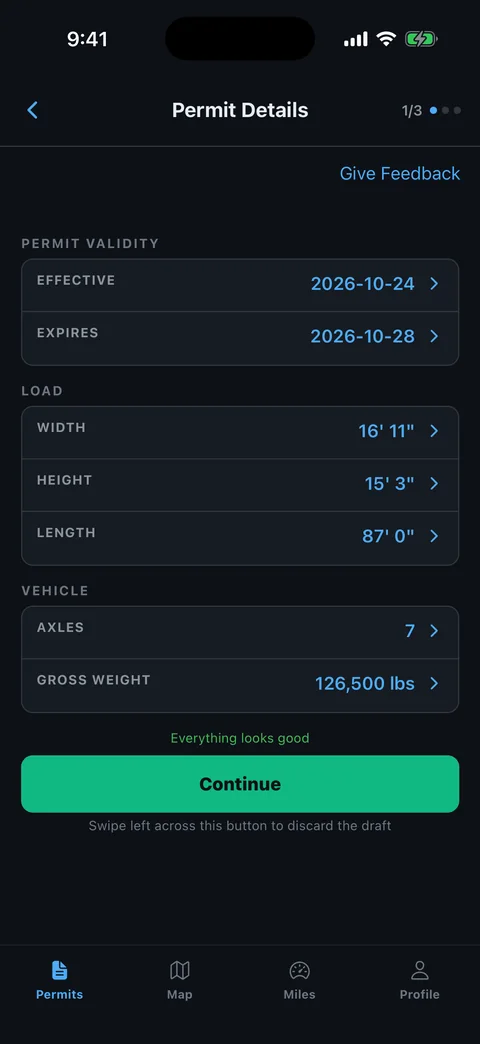
Compare every printed size and axle entry with the loaded combination, not only with the cargo description. Wisconsin's distinct permit categories make the field labels especially useful. Read whether a measurement describes the power unit, trailer, load or complete combination before comparing it with your tape or records.
Make a separate review sheet after loading. Keep the original issued permit readable and unchanged.
- Equipment identity: Match truck and trailer identifiers with today's assignment.
- Overall size: Check transport height, width and length.
- Load dimensions: Compare any category-specific cargo or housing measurements.
- Weight and spacing: Review axle entries and configuration separately from gross weight.
- Load description: Confirm the category describes the object actually moving.
The permit errors checklist helps document a changed setup. Provide the exact difference when requesting correction rather than asking whether the old permit is close enough.
How Do You Handle A Wisconsin Route Problem?
Read Wisconsin's specified route as the instruction for that single-trip movement. If a road closure, bridge condition or equipment change conflicts with it, ask the issuer to resolve the problem. A navigation app's faster route does not amend a hauling permit.
Use the permit forms and conditions index to locate the relevant supporting material. Keep the applicable conditions with the road list so a restriction remains connected to the affected location.
- Locate the problem: Supply the road, travel direction and nearest junction or structure.
- Describe the load: Include the relevant measured dimension or axle configuration.
- Ask for correction: Contact the permit office or ordering service for the needed process.
- Review the replacement: Compare all roads, dates and supporting conditions again.
Use the escort route-sharing workflow to brief the resolved route with the crew. Keep superseded copies outside the active trip package.
How Can RouteAll Help With A Wisconsin Permit?
RouteAll can extract the printed route from a PDF or photo for manual review. Keep Wisconsin's category-specific conditions beside that route. The app helps organize the road sequence; it does not decide that a different category, return journey or bridge permission is covered.
The PDF permit to GPS guide explains the driver's confirmation step. Start with the complete current document and compare each road change with the proposed map.
- Directions: Check the printed travel direction at every highway transition.
- Connections: Inspect short roads and ramps between longer sections.
- Boundaries: Match the approved start and finish, plus any authorized return.
- Revisions: Repeat the review after a corrected permit arrives.
RouteAll does not issue or amend Wisconsin permits or guarantee clearance. Resolve missing authority and unclear conditions with the issuer before confirming the route.
Keep the Wisconsin conditions sheet with the permit, then follow the oversize permit route turn by turn and resolve any route problem before you change roads.
The Permit Check In One Minute
Identify a Wisconsin permit’s category before reading the supporting sheets. SS, CS, SB and SM cover different single-trip operations, and the forms index points to different conditions. Compare the actual truck, trailer, loaded dimensions and axle information with the issued document. Trace the specified route and check explicit return authority rather than assuming the permit dates cover a journey back. Keep the correct conditions and any referenced lists with the route. Ask the issuer to resolve a changed setup or blocked road before substituting another road. RouteAll can turn a readable permit into a route for manual confirmation, but it does not change the permit category or grant return-trip permission.
Before You Roll
Match Wisconsin’s category code with the correct conditions sheet. Confirm the specified route and explicit return authority before planning the outbound and return movement.
Further Reading
Sources And Scope
This guide explains how to read the state’s published permit material. Your issued permit and incorporated conditions govern the move. Check the linked agency material for updates.
- Wisconsin Single Trip Permits — SS/CS/SB/SM categories; specified route; five-day/single-trip scope; return requested with original application.
- Wisconsin OSOW Forms And Applications — Category-specific conditions sheets, MV2605/MV2602/CS distinctions and supporting references.
- MV2600 Single Trip Permit Information — Official single-trip information resource; fee and insurance material is distinct from operating conditions.