 RouteAll
Vermont Permit Reading Guide
Sources Reviewed: October 23, 2026
Read a Vermont permit by matching the loaded vehicle, trip type, roads and the conditions selected for that movement. Vermont’s CVO-127 form distinguishes single and round trips, loaded and empty dimensions, and marked operating instructions. Read the issued copy rather than treating every printed option as active.
On This Page
Which Vermont Document Are You Reading?
Separate the issued Vermont permit from the blank application and the general rules. The DMV permit resource page identifies CVO-127, CVO-110 rules and engineering-survey resources. A form downloaded from that page is useful for understanding fields, but a blank form is not your authorization.
Keep the current permit and supporting instructions together. Identify the permit number or other issuance information that connects the document with your trip.
- Issued copy: Check that it covers the present load and dates.
- General rules: Read the rules applicable to that permit category.
- Survey information: Retain any required engineering or route documentation.
- Special conditions: Save all remarks, selected instructions and continuation pages.
The published CVO-127 form is an older form reference, so the current issued layout may differ. Use the field meanings to guide the review without assuming an exact screen or PDF appearance.
What Do Vermont’s Loaded And Empty Fields Mean?
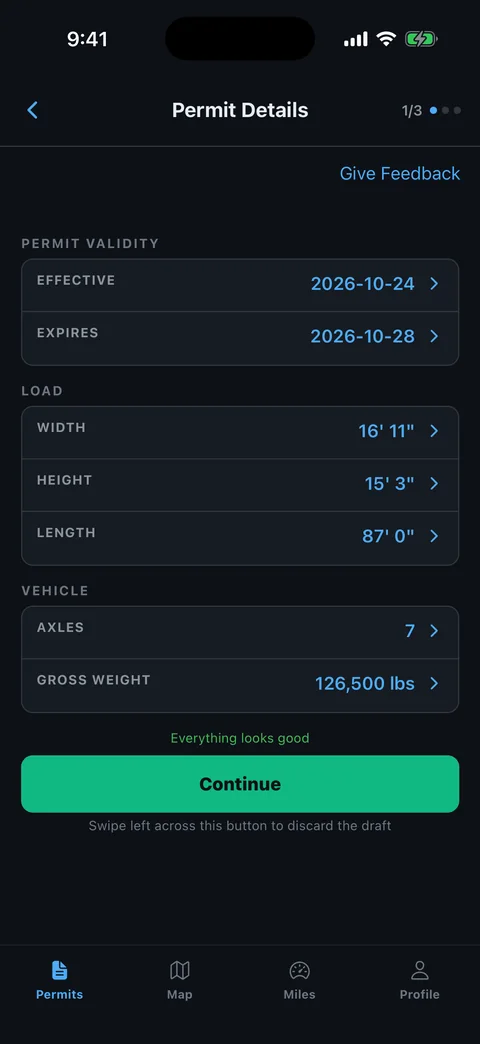
Vermont's published CVO-127 form records overall loaded dimensions separately from empty width and length. Read those entries as different descriptions of the equipment. The official form also separates registration weight, gross weight, trailer length and axle information instead of treating them as one measurement.
Compare the current loaded combination with the issued values after securement. Then check any empty-return details against the equipment configuration planned after unloading.
- Overall size: Check the complete loaded height, width and length.
- Empty size: Compare the empty equipment values where they appear.
- Weight entries: Keep registered weight distinct from actual gross weight.
- Axle table: Add the axle figures and compare the sum with the gross entry.
- Spacing: Compare center-to-center axle distances and the total wheelbase field.
Use our permit errors checklist to record a changed trailer or load arrangement before asking for correction.
Does Your Vermont Permit Authorize A Round Trip?
Check the trip-type selection and approved roads instead of assuming the return is included. CVO-127 provides separate single-trip and round-trip choices. Vermont's permit rules describe single-trip authority between specified points on a prescribed route, so the issued selection matters.
Trace the journey in each authorized direction. A road sequence that works outbound may not describe the return turns or the changed equipment after unloading.
- Identify the type: Read the selection on your issued permit.
- Locate the endpoints: Match the named roads, physical address and nearby junction where provided.
- Read each direction: Keep outbound and any authorized return instructions separate.
- Compare configuration: Check the equipment and dimensions for the planned return movement.
The permitted-route planning guide helps turn those findings into a clear trip briefing. Ask the issuer when the return authority or endpoint is unclear.
Which Vermont Checkboxes Apply To Your Move?
Read the conditions selected on the issued Vermont permit, together with special remarks and applicable general rules. The published CVO-127 form contains separate options for police notification, escorts, weather and particular town or route time restrictions. Unselected printed options are not a complete statement of applicable law.
Make a condition-by-condition briefing from the issued document. A generic note saying daylight only loses the location and task attached to a more specific instruction.
- Town notification: Identify the named police department and required move information.
- Time restriction: Associate the instruction with its road or municipality.
- Escort operation: Confirm the role, route section and arrangements specified.
- Special remarks: Read any added text rather than stopping at the boxes.
The travel-time planning guide helps organize waiting and departure decisions. It does not replace Vermont's current rules or the particular permit condition.
What If A Vermont Field Or Condition Is Unclear?
Ask Vermont Commercial Vehicle Operations or the service that ordered the permit to resolve an unclear field before travel. Provide the issued document and the actual equipment details. Do not convert an empty box or unreadable mark into an assumption that the restriction is absent.
Separate a document-quality problem from a permit-content problem. A sharper copy may solve an unreadable checkbox, while a changed vehicle or route needs the issuer's decision.
- Identify the entry: State the field, checkbox or remark you cannot reconcile.
- Describe the movement: Provide the road, direction, date and relevant measured load information.
- Request clarification: Ask whether a corrected document or further approval is required.
- Review the result: Recheck the complete route and selected conditions after receiving an answer.
Brief the driver and escort from the same current copy. Retire the older version so a marked instruction is not lost between dispatch and departure.
How Can RouteAll Help With A Vermont Permit?
RouteAll can extract a printed route from a PDF or photo for your manual review. With a Vermont permit, compare the route while keeping the trip-type selection and marked conditions available. Turn-by-turn guidance does not perform a police notification or interpret an unreadable checkbox for you.
The permit PDF to GPS workflow explains how to compare the extraction with the original before confirming it. Use a legible complete document.
- Endpoint: Match the physical start and finish with the issued authority.
- Road order: Check direction and short connectors at each turn.
- Separate instructions: Keep town, time and escort conditions in the briefing.
- Updated permit: Repeat the comparison when the issuer changes a field or route.
RouteAll does not issue or amend Vermont permits. The driver resolves uncertainties and confirms the extracted route before using navigation.
If the Vermont permit authorizes a round trip, follow the oversize permit route turn by turn in both directions as written.
The Permit Check In One Minute
Read a Vermont permit as an issued trip document, not as a blank form. Compare the loaded vehicle with the overall dimensions, gross weight and axle table, while keeping empty-equipment dimensions separate. Check whether the permit authorizes a single or round trip and trace each approved direction. Read selected conditions and special remarks together with the general rules. Identify any town notification, escort arrangement or route-specific time restriction before departure. Ask the issuer to clarify an unreadable mark or changed configuration. RouteAll can organize the printed route for manual review, but it does not select the permit conditions or carry out a required notification. Confirm the extraction against the current issued copy.
Before You Roll
Check the Vermont trip-type selection and every marked condition. Resolve unclear checkboxes, town notifications and any changed equipment before confirming the route.
Further Reading
Sources And Scope
This guide explains how to read the state’s published permit material. Your issued permit and incorporated conditions govern the move. Check the linked agency material for updates.
- Vermont Commercial Vehicle Permits — VT Haul Pass and distinct CVO-127, CVO-110 and CVO-104 resources.
- CVO-127 Single Trip Permit Form — Loaded/empty fields; gross and axle table; trip selections; condition options and special remarks; form dated August 2015.
- CVO-110 Rules And Instructions — Single-trip definition and prescribed-route authority; current publicly linked rules document dated July 2022.