 RouteAll
Montana Permit Reading Guide
Sources Reviewed: October 23, 2026
Read a Montana oversize permit by identifying the eTRIPS movement authorization, matching the actual vehicle and load, and checking its route and restriction text. Keep registration or fuel documents separate. Review construction, load-speed restrictions, and county-road conditions before treating the trip as ready.
On This Page
Which Montana Document Is the Movement Permit?
Identify the actual oversize/overweight authorization before reading the rest of the packet. Montana's motor-carrier paperwork can include registration, fuel, gross-vehicle-weight fee, and movement documents. Those labels answer different questions.
The MDT commercial-carrier permit page directs oversize/overweight ordering to MT eTRIPS. It lists ePART separately under IRP and IFTA. Do not assume a document from the registration workflow authorizes the load's size or weight on a route.
- Movement: Find the issued eTRIPS authorization for the departing load.
- Registration: Keep licensing and gross-weight fee documents identifiable.
- Fuel: Check any separate fuel requirement through the appropriate channel.
- Conditions: Locate the route and restrictions attached to movement permission.
If dispatch calls every file a permit, sort them by purpose before departure. The oversize-permit basics guide explains why movement permission must be checked directly.
What Should Match on the Montana Authorization?
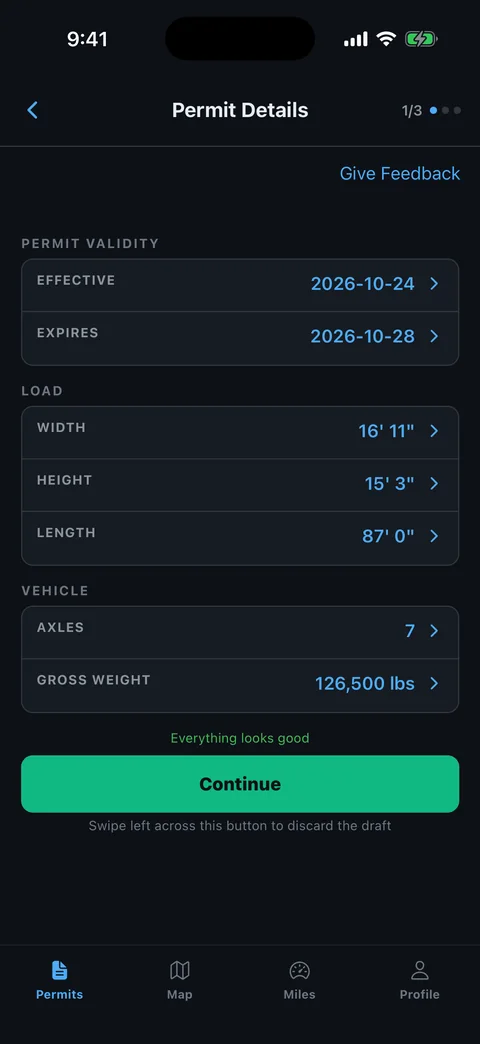
Compare the issued movement with the actual loaded combination. Check the permittee, equipment, dimensions, weights, dates, and route or area of operation stated on that document. Do not borrow an assumption from another Montana permit category.
MDT's official permit resources distinguish several carrier services and link current regulations and the truckers handbook. Start there when the authorization's type or a referenced document is unclear.
- Carrier: Match the legal entity and the dispatched movement.
- Load: Compare the cargo description with what is actually loaded.
- Configuration: Check axle, trailer, and dimension fields where provided.
- Itinerary: Read the dates and the roads or area authorized.
An annual or term label needs careful reading because different documents can use similar words. Read annual versus single-trip movement permits without confusing that distinction with a Montana registration-fee term.
How Do You Turn Montana Directions Into a Reviewable Route?
Trace the issued route in order before accepting a map. Identify the state entry, highway changes, special locations, and final authorized road. Long distances between major junctions do not remove the need to check each transition.
- Start: Match the first authorized section with your actual approach.
- Sequence: Compare road numbers, directions, and connecting turns.
- Conditions: Locate each instruction that applies to a particular section.
- Finish: Identify where the permit ends and site access begins.
If the packet lists numbered restrictions, read the full wording supplied or referenced by that authorization. A remembered code from a previous permit is not an explanation for a new move.
Keep notes outside the issued document and ask Motor Carrier Services about a missing reference or unexplained route gap. The permitted-route planning guide helps organize those questions before the driver is underway.
What Current Montana Restrictions Need Checking?
Check construction reports and load-speed restrictions against the exact route you intend to use. MDT explicitly reminds permit users to do this, including when issuing permits themselves. A successfully issued document does not make later conditions disappear.
The MDT permit page links the Montana road report and current travel resources. The agency's load and speed-limit policy explains why vulnerable roads receive restrictions.
- Road section: Match the highway and limits of a notice with your route.
- Restriction type: Separate load capacity, speed, width, and clearance concerns.
- Timing: Check whether the restriction affects the planned movement date.
- Office question: Describe conflicts before proposing a different road.
Record when you checked conditions and tell the crew about material changes. If the trip includes a long delay, check again before entering the affected section rather than relying on the departure briefing alone.
How Do You Check Montana County Access?
Identify county-road sections separately from the state-route review. MDT publishes a county-road weight-restriction contact resource because local conditions need their own check. The road into a worksite can be the unresolved part of an otherwise clear trip.
Use the MDT county-road restriction contacts as a starting point, then confirm current information with the responsible authority. A contact list is not permission for a particular vehicle and load.
- Pickup road: Identify the authority for the public approach.
- Delivery road: Check the actual entrance and connecting road.
- Restrictions: Ask about the loaded combination and intended date.
- Authority: Keep any required local approval with the movement packet.
Give the road name and segment when asking for guidance. Do not ask only whether “the county is open.” That answer might not address a posted bridge or the particular route to the receiver.
What If Your Montana Permit or Route Is Wrong?
Bring the exact mismatch to Motor Carrier Services before relying on the affected authorization. Separate company-account corrections from movement changes. A corrected registration profile does not by itself explain what happened to the issued route.
The official MDT page provides permit contacts and notes that carrier-account information should agree with federal records. For the move itself, explain the current load and the field or road that differs.
- Identify the authorization: Have the issued movement permit available.
- Describe the mismatch: Name the equipment, measurement, date, restriction, or road involved.
- Provide current facts: Use actual loaded dimensions and configuration.
- Retain the outcome: Keep revised issued material and required instructions.
Recheck affected county permissions and support arrangements after the office resolves the change. Replace old working copies so the driver and escorts do not follow different versions.
How Can RouteAll Help With a Montana Permit?
RouteAll can help review readable permit directions on a map after you obtain the correct movement authorization. Follow the PDF-permit-to-GPS guide and manually compare the result with the issued route.
Check the first and last points, highway transitions, and any special location named in the restrictions. When the packet contains other carrier paperwork, make sure addresses or registration text have not become mistaken route points.
Keep load-speed restrictions, construction conflicts, county-road questions, and escort conditions available in the movement brief. Navigation does not establish that those checks are complete. RouteAll does not issue Montana permits or amend eTRIPS authorization.
For an escorted move, use the pilot-car route-sharing guide to review one route with the crew. Repeat that comparison after an official route change.
Once the Montana directions become a reviewable route, follow the oversize permit route turn by turn and confirm county access before the last miles.
The Permit Check In One Minute
For Montana, find the eTRIPS oversize or overweight movement permit first. Keep it distinct from ePART registration, fuel, or gross-weight fee paperwork. Compare the carrier, equipment, loaded dimensions, weight information, and itinerary with the issued authorization. Trace the highway sequence and read every referenced restriction in full. Check current construction and load-speed information before movement. Identify county-road access separately and confirm its current requirements with the responsible authority. If the packet contains a wrong detail or conflicting route, ask Motor Carrier Services to resolve the issue and keep the resulting documents. RouteAll can help compare readable directions with a map, but you still need to verify the route and retain the applicable conditions.
Before You Roll
Confirm that you have movement permission for the load, then check construction, load-speed restrictions, and county access. Keep the actual eTRIPS route and restriction text available to everyone in the crew.
Further Reading
Sources And Scope
This guide explains how to read the state’s published permit material. Your issued permit and incorporated conditions govern the move. Check the linked agency material for updates.
- Permits for Commercial Motor Carriers — MT eTRIPS OSOW channel, separate ePART services, separate fuel/licensing possibility, construction/load-speed check and office channels.
- County Road Weight Restrictions — County contact resource for local restrictions.
- Load & Speed Limit Policy — Reason for load and speed restrictions on vulnerable roads.