 RouteAll
Delaware Permit Reading Guide
Sources Reviewed: October 23, 2026
Read a Delaware hauling permit by checking its status, load category, vehicle details, dates, route, and Special Provisions. For a superload, also identify the movement type and any survey or checklist documents. A requested route and a validated permit are different stages of approval.
On This Page
What Do Load Code and Validated Status Tell You?
Check what the permit authorizes and whether it is the final issued document. Delaware’s manual describes different load codes for oversized, overweight, superload, manufactured housing, and other specialized movements. Those categories are not simply interchangeable descriptions of a big truck.
Use the DelDOT hauling permit manual to identify the category printed in your packet. The manual also distinguishes a validated, purchased permit from the request that preceded it.
Keep any application receipt separate from the driver’s issued authority. If a load code or document status is unclear, ask the Hauling Permit Office before assuming that payment or a completed route drawing means the movement is ready.
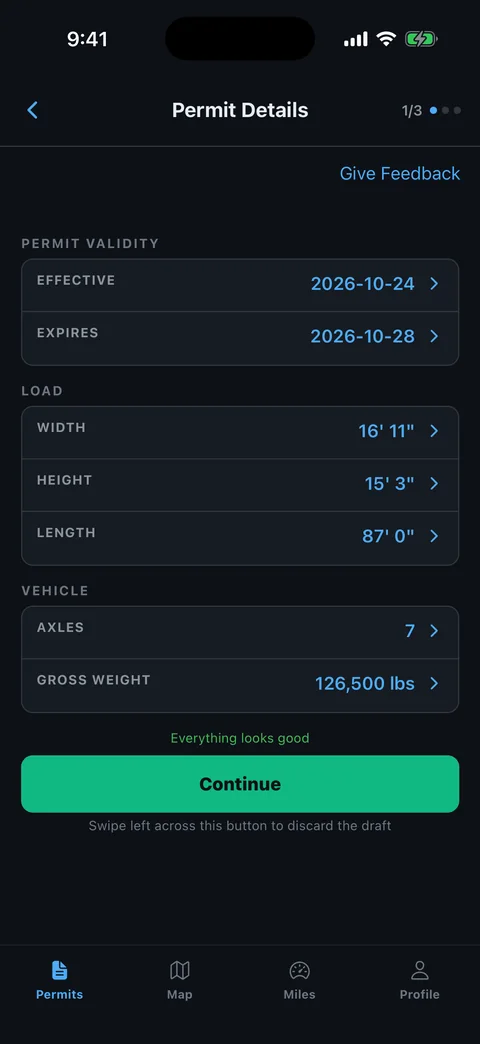
Which Delaware Permit Fields Should You Compare First?
Start with the complete issued facts that describe the actual loaded combination. Compare the permittee, hauling unit, trailer, load, overall dimensions, weight information, and movement dates. Inspect every page at a readable size rather than relying on a compressed message preview.
- Vehicle identity: Match the actual hauling equipment.
- Loaded dimensions: Include the transport position and projections.
- Weight configuration: Preserve individual entries where the document provides them.
- Effective period: Check both start and expiration.
- Page completeness: Find any continuation of route or Special Provisions.
Write each mismatch as a specific field-level question. The permit-errors guide explains why correcting a dispatch note is different from correcting the source authority.
How Do You Follow a Delaware Route Through a Border Crossing?
Read the approved roads from the exact entry or origin to the printed exit or destination. Preserve directions, ramps, intermediate roads, and any structure reference. A short state crossing still needs the same careful sequence review as a long haul.
Place the adjoining state’s route beside Delaware’s and compare the handoff. Confirm that the exit road, crossing, and direction lead into the next approval. Do not substitute a nearby bridge because a navigation app offers a shorter arrival time.
Use a worksheet with road, entry, exit, and condition. The permitted-route planning guide helps organize this review. Resolve local access or separate structure authority with the responsible issuer before treating the route as continuous.
Why Must You Read Delaware Special Provisions Before Scheduling?
Read Special Provisions before turning the route into a dispatch schedule. DelDOT’s manual explains that additional movement-specific conditions appear in that portion of the final permit. A broad general rule cannot tell you whether your own document adds a narrower instruction.
Consult the DelDOT policy manual and the actual permit together. The linked manual is labelled October 2015; use it to understand document structure and confirm current operating questions with the office.
For planning, mark which condition affects a time window, an escort arrangement, a structure, or a coordination task. Keep the original wording available beside your short summary. If a condition cannot be assigned to a road or time, obtain clarification rather than leaving it out.
Which Extra Documents May Belong With a Delaware Superload?
Check whether the packet includes required route-survey or review documents for its superload type. Delaware’s manual distinguishes movements by excess length, width, height, weight, or a combination. It includes HP Form 16 for a route survey and HP Form 17 for the gate-keeping checklist.
Use the superload sections and forms to recognize those documents. Do not assume that the checklist itself grants permission or that another movement’s survey proves your combination fits.
Match supporting material to the approved vehicle, route, and issue. Record any unresolved item before booking the move. The superload permit guide explains why additional analysis and coordination need their own planning time.
How Should You Brief Delaware Escorts and Travel Windows?
Read the issued escort and time conditions together, especially when a superload approval adds special instructions. Build the crew plan around the actual road segments and required coordination. A generic escort chart is a starting point for questions, not a substitute for the movement’s conditions.
- Meeting point: Confirm where the authorized movement begins.
- Positions: Identify lead, rear, and any law-enforcement arrangements stated.
- Travel window: Separate permit dates from allowed hours and event restrictions.
- Holding plan: Identify a suitable stop before the next restricted section.
Use the pilot-car duties guide to structure the crew discussion. Confirm unresolved requirements with the Hauling Permit Office before movement.
Who Can Correct a Validated Delaware Permit?
Contact the Hauling Permit Office when an issued fact or route needs correction. DelDOT’s manual assigns amendment of validated permits to a Permit Agent and distinguishes the limited situations that may be amended. Do not assume every field or expired document can be changed.
Read the amendment section of the DelDOT manual and confirm the current process with the office through the official permit system. Explain the discrepancy, permit status, and planned movement privately.
After receiving the official result, compare the complete route and Special Provisions again. Replace old copies used by dispatch and the crew. A navigation edit alone does not revise the state’s permit.
How Can You Review a Delaware Permit in RouteAll?
The permit PDF to GPS workflow explains RouteAll’s extraction and mandatory driver review. Use the issued PDF, then compare the proposed route with Delaware’s printed sequence and state-line handoff. Preserve the original packet, Special Provisions, and any supporting survey documents.
RouteAll does not issue or amend Delaware authority. If the app’s proposed line skips a road or crosses a different structure, resolve that difference before confirming the navigation route.
If the Delaware route crosses a state border, follow the oversize permit route turn by turn from the entry point to the destination.
The Permit Check In One Minute
A Delaware hauling permit needs more than a quick check of the road list. Confirm the final status and load category, then match the vehicle, loaded dimensions, weight information, and dates. Follow every approved road and compare the adjoining state’s border handoff. Read Special Provisions before scheduling escorts or movement hours. For a superload, identify the relevant movement type and any route survey or gate-keeping checklist. The linked DelDOT manual explains these document structures, while the office should resolve current or unclear operating questions. A Permit Agent handles validated-permit amendments. RouteAll can help read the PDF and review a navigation route, but it cannot change the issued authority.
Before You Roll
Read Delaware’s final Special Provisions before dispatching the load. Resolve any wrong fact or border connection with the Hauling Permit Office and replace the entire working packet after correction.
Further Reading
Sources And Scope
This guide explains how to read the state’s published permit material. Your issued permit and incorporated conditions govern the move. Check the linked agency material for updates.
- DelDOT Oversize/Overweight Permit System — Official portal and office navigation; main landing page read via direct HTTP.
- Delaware Oversize/Overweight Hauling Permit Policy and Procedures Manual, October 2015 — Document categories, Special Provisions, superload supporting forms and amendment structure; current operational details require office confirmation.