 RouteAll
Ohio Permit Reading Guide
Sources Reviewed: October 23, 2026
Read an Ohio special hauling permit together with both pages of Form OS-1A. Match the load and vehicle, then follow the permitted roads, dates and operating conditions. A state permit does not provide permission for the Ohio Turnpike or local roads.
On This Page
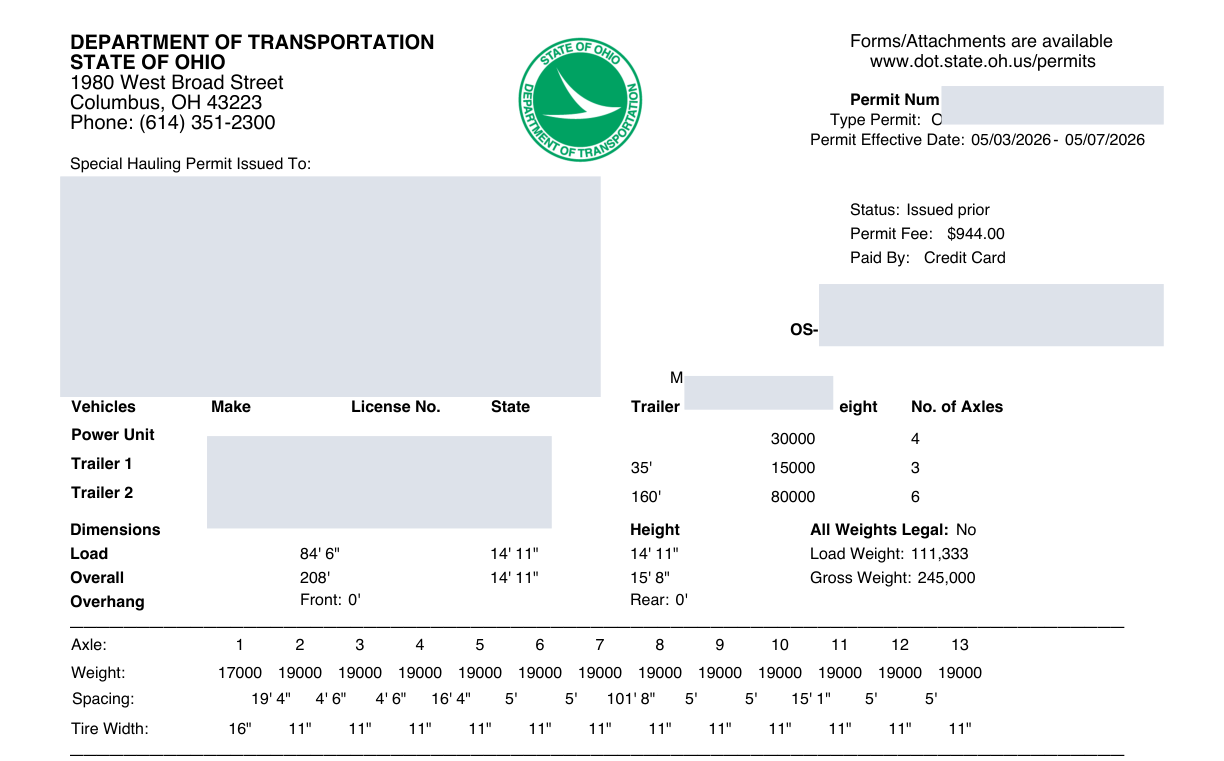
Which Ohio Documents Belong In The Cab?
Your Ohio permit package needs the issued Special Hauling Permit and the complete OS-1A provisions. The official two-page OS-1A form explains possession, route boundaries and operating limits. Read both sides before deciding that the permit is ready for departure.
Build a short document inventory rather than relying on the first attachment in a dispatch message. Save the permit, provisions and any separate approvals in an order you can recognize while parked.
- Issued permit: Match the permit number and current movement, including any revised copy.
- Both provisions pages: Check the second page is present and readable, not a blank scan.
- Other permissions: Keep Turnpike or local-road approvals beside the state document.
Ask dispatch for missing pages before planning the departure time. A cropped screenshot makes that review harder. The current Ohio conditions rule also requires a gross-weight statement and, subject to its listed exemptions, a bill of lading or similar document. Confirm those with dispatch.
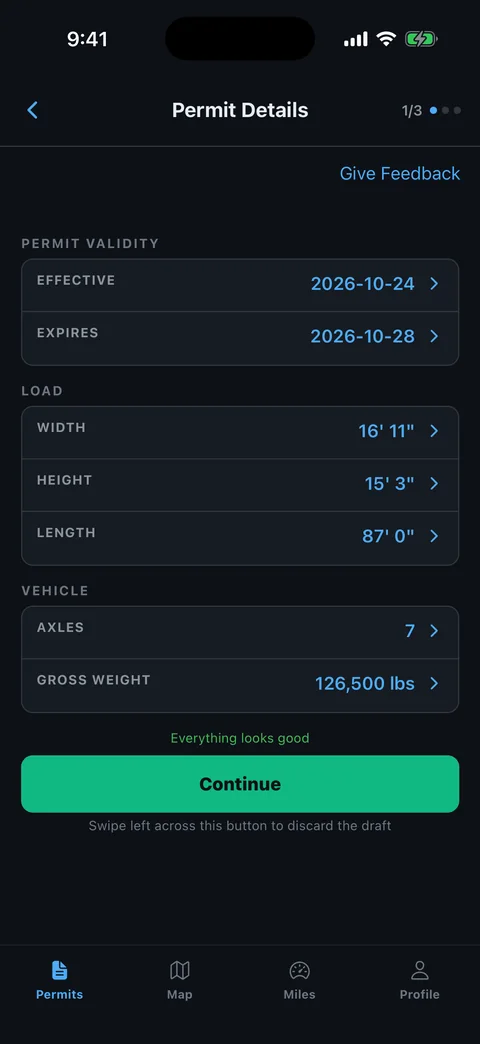
Does This Permit Match Your Actual Load?
Start the Ohio review with the truck, trailer and loaded configuration in front of you. Compare the printed vehicle and load description with the equipment assigned today. Do not let a familiar customer or destination stand in for that comparison.
Write the measured overall height, width and length on a separate working checklist. Include the loaded combination, not just the cargo's catalog dimensions. Keep the original issued permit unmarked.
- Truck and trailer: Compare each identifier that appears, including a trailer changed after dispatch.
- Dimensions: Recheck the highest and widest points after securement.
- Weights: Review any axle figures and spacings against the configuration actually moving.
- Dates: Read the beginning and ending of the printed travel window.
A discrepancy is a question for the issuer or permit service. Our common permit errors checklist helps organize that conversation.
Where Does Ohio Permission Begin And End?
Ohio's OS-1A limits the movement to the named highways, designated endpoints and allotted time. It also directs you to obtain county, township, local-street and Ohio Turnpike permission from the appropriate authorities. A continuous line on a map does not combine those permissions.
Trace the route from the actual entry point to the destination access road. At each road change, compare the road number, direction and connecting junction. Give special attention to the first and last turn.
- Find the start: Locate the exact boundary, entrance or road named by the permit.
- Read every connector: Retain short roads and ramps even when a navigation app offers a simpler connection.
- Mark jurisdiction changes: Match each separately controlled segment with its approval.
- Check the finish: Confirm how the load reaches the receiver after the last state route.
Use the permitted-route planning guide to make that review repeatable.
Which OS-1A Conditions Affect Your Departure?
Read the OS-1A days-and-hours section against your actual load category and width. Ohio distinguishes an overweight-only movement from an overdimensional movement. Holiday, county commute and weekend provisions need separate attention; the permit's date window is not a continuous travel authorization.
The OS-1A operating provisions also address changing conditions and posted weight reductions. Instead of copying a statewide daylight summary into your trip notes, record the conditions that apply to this movement.
- Travel category: Identify whether the loaded vehicle is oversized, overweight, or both.
- County and time: Locate restricted sections before choosing a departure or waiting location.
- Bridge and road posting: Compare any reduction with the loaded configuration.
- Special instruction: Preserve any move-specific escort, coordination or lane requirement.
Keep sunrise, sunset and appointment time separate. Our travel-time and curfew guide explains that planning task without replacing Ohio's provisions.
What If The Ohio Route Is Closed Or Wrong?
Treat a closure, unreadable route instruction or equipment mismatch as a reason to resolve the permit before proceeding. Prepare a precise question for the Ohio permit office or the service that ordered it. Do not edit the issued route yourself.
Describe the problem with a road number and junction rather than a town name alone. A dispatcher can then compare the same segment you are seeing.
- Locate the conflict: Record your safe location, permitted direction and affected road or structure.
- Describe the load: Supply the relevant measured dimension, axle configuration or changed equipment.
- Ask for authority: Request the issuer's correction or instructions for the affected jurisdiction.
- Replace the old copy: Compare the corrected route and all conditions before releasing the trip.
Recheck the timeline after a correction. A new route can change when an escort meets you, which roads need local permission, and whether the planned stop remains reachable.
How Can RouteAll Help Read The Ohio Route?
RouteAll can extract a route from a permit PDF or photo for you to review. Use that review to compare Ohio's printed road sequence with the proposed map. The original permit and OS-1A remain the documents you use to check permission and conditions.
The PDF-permit-to-GPS guide explains the extraction and manual confirmation steps. Start with a complete, legible document; do not approve a route merely because its destination looks right.
- Road sequence: Compare the first road, each connector and the final permitted segment.
- Road direction: Check repeated road numbers and changes in direction.
- Separate permissions: Keep local and Turnpike documents available for your own review.
- Unclear extraction: Resolve missing or uncertain information before confirming navigation.
RouteAll does not issue or amend an Ohio permit. An extraction is useful organization, not confirmation that the entire movement is legally approved.
Know where Ohio permission begins and ends, then follow the oversize permit route turn by turn between those two points.
The Permit Check In One Minute
An Ohio permit should be read with the complete two-page OS-1A provisions. First match the issued document to your truck, trailer and measured load. Then trace the roads from the permitted start to the permitted finish. Pay particular attention to local streets and the Ohio Turnpike, because those authorities give their own permission. Read travel hours separately from the permit dates, and check current road conditions before departure. If a road is closed or a printed detail is wrong, ask the issuer to resolve it. RouteAll can help turn a legible permit into a route for manual review. Compare every road and connector before confirming. Keep the original documents available throughout the movement.
Before You Roll
Confirm that both OS-1A pages are present and that every separately controlled road has the required permission. Resolve a posted-weight reduction or route conflict with the issuer before moving.
Further Reading
Sources And Scope
This guide explains how to read the state’s published permit material. Your issued permit and incorporated conditions govern the move. Check the linked agency material for updates.
- Limitations/Provisions On The Use Of A Special Hauling Permit — OS-1A — Two-page provisions; possession; named roads/endpoints/time; local and Turnpike permission; operating and travel conditions.
- Ohio Administrative Code 5501:2-1-04 — Conditions On Permitted Movements — Current rule requires permit, complete OS-1A, gross-weight statement and bill of lading with listed exemptions; adverse conditions and permit-specific operating requirements.