 RouteAll
Washington Permit Reading Guide
Sources Reviewed: October 23, 2026
Read a Washington permit by checking the loaded dimensions, axle information, approved route and signed conditions. Overall length and load or trailer length are different entries. Keep the two-page regulations sheet available, and match commuter restrictions to the road, direction and milepost range.
On This Page
Which Washington Length Field Are You Reading?
Washington's permit application separates total overall length from load length or trailer length, using whichever is longer for that latter entry. Front and rear overhang are separate too. The official 560-021 form makes these distinctions visible, so do not copy one measurement into every length field.
Compare the issued document with the loaded combination in transport position. Read the field label before comparing the number with your measurement.
- Overall length: Measure the complete loaded vehicle combination.
- Load or trailer: Identify which of these is longer for the separately labeled entry.
- Front overhang: Check the projection at the front.
- Rear overhang: Check the projection at the rear.
- Width and height: Include the actual widest and highest loaded points.
Our permit errors checklist helps describe a mismatch clearly when asking the issuer to correct the document.
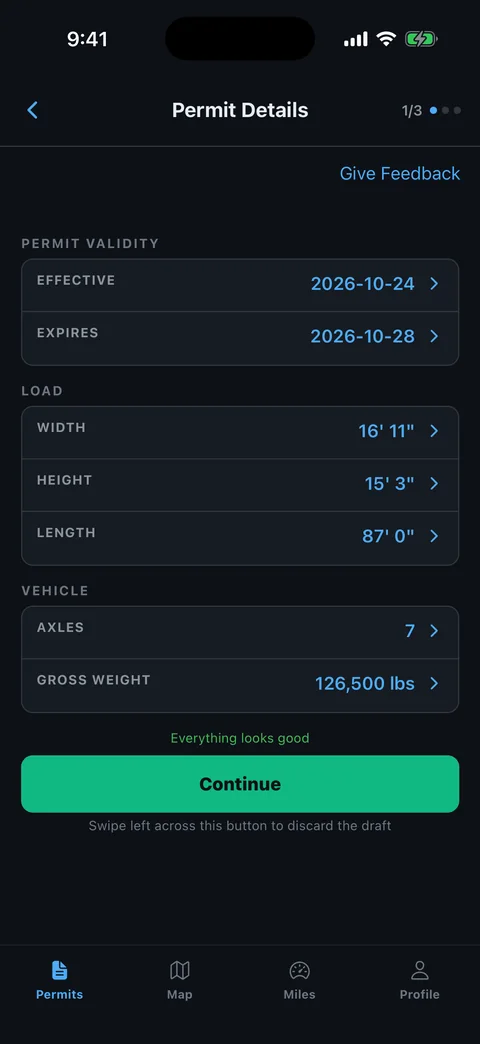
How Do You Check Washington’s Axle Information?
Read Washington's axle entries separately from its gross-weight entry. The 560-021 form records axle counts, axle weights, tire information and spacings, with a field for the axle-spacing report number. Match those details with the configuration actually loaded today.
A previous report reference is useful only after you confirm the equipment and setup it describes. Do not assume that changing trailers leaves all the relevant weight information unchanged.
- Axle count: Compare the power unit and trailing unit counts.
- Spacing: Check center-to-center measurements in the units requested.
- Axle weights: Compare individual figures as well as gross weight.
- Tires and lift axle: Review the applicable entries against the actual equipment.
- Report reference: Match any referenced spacing report with the intended combination.
WSDOT's commercial-vehicle permit resources link the official axle-report tools. Ask the issuer about a changed setup rather than treating an old report number as a universal authorization.
Which Washington Conditions Belong In The Truck?
Read the issued Washington permit with the regulations and conditions that apply to it. WSDOT's 560-002 conditions sheet says a signed permit must be carried in the power unit. The sheet includes a second page of commuter restrictions, so a first-page-only copy misses material instructions.
Build a complete trip package before estimating when the load can leave. Keep applications and payment records distinct from the signed issued permit.
- Signed permit: Check the current load, route and permit period.
- Conditions pages: Open both pages and read the applicable categories.
- Special approval: Locate any move-specific night, escort or other instruction.
- Local permission: Keep required city or county approvals with the movement.
Read the current rule references when a condition is unclear or appears inconsistent with the issued document. Ask Commercial Vehicle Services for clarification instead of resolving the conflict by choosing the easier instruction.
How Do Washington’s Commuter Rows Affect Your Route?
Match a Washington commuter restriction with the exact road, direction and milepost range. The conditions sheet lists those elements separately. A general statement that Seattle or Tacoma has a curfew is not enough to determine which part of your issued route is affected.
Read the row from left to right and compare the dimension exception, if any, with the actual load. Do not infer that the opposite carriageway has identical timing.
- Find the route: Match the state-route number on the permit.
- Match direction: Identify the lane of travel covered by the row.
- Locate boundaries: Compare the listed mileposts and junction descriptions.
- Read applicability: Check the condition and any stated exception for your configuration.
The travel-time planning guide helps convert those findings into a waiting and departure plan. It does not authorize travel during a prohibited period.
Does A Washington Permit Cover County Or City Roads?
No. Washington's permit conditions say county roads and city streets require approval from the jurisdiction maintaining them. Trace the final access from the state highway to the delivery site rather than assuming a continuous map line supplies local authority.
WSDOT's permit resources also place responsibility on the carrier to check restrictions and overhead clearances. Keep the authority review separate from the physical route check.
- State segment: Follow the roads and boundaries on the issued permit.
- Local segment: Identify the responsible road authority and required approval.
- Current restriction: Review road work and clearance information for the intended route.
- Conflict: Ask the issuer about a road that no longer fits the approved movement.
Our permitted-route planning guide helps organize those questions. Resolve a closure before using an ordinary navigation detour with a permitted load.
How Can RouteAll Help With A Washington Permit?
RouteAll can extract a printed permit route from a PDF or photo for manual review. Compare the proposed route with Washington's issued roads while keeping the signed permit, conditions and local approvals available. A correct-looking map does not resolve an axle mismatch or commuter restriction.
Follow the PDF permit to GPS guide and check each road change before confirming navigation. Use the complete document, including every route continuation.
- Road identifiers: Check the full number and direction of travel.
- Connections: Inspect ramps and short links at each highway transition.
- Endpoints: Match the approved start and finish rather than only the city names.
- Revisions: Repeat the review when the permit is corrected.
RouteAll does not issue or amend Washington permits, provide local-road approval or guarantee overhead clearance. The driver confirms the extracted route before using it.
Check Washington’s commuter rows against your schedule, then follow the oversize permit route turn by turn.
The Permit Check In One Minute
Read the labels on a Washington permit before comparing the measurements. Overall length, load or trailer length, and overhang are separate entries. Check the axle information and any spacing report against the actual loaded combination. Keep the signed permit and complete regulations sheet in the trip package. For commuter restrictions, match the road, direction and milepost boundaries rather than relying on a city name. Confirm local approval for county roads or city streets and review current restrictions and clearances. Ask the issuer about a conflict or changed setup. RouteAll can organize a legible printed route for manual confirmation, while the permit and conditions remain essential to the movement.
Before You Roll
Compare Washington’s separate length and axle entries before departure. Carry the signed permit and match commuter restrictions to the actual direction and road section.
Further Reading
Sources And Scope
This guide explains how to read the state’s published permit material. Your issued permit and incorporated conditions govern the move. Check the linked agency material for updates.
- WSDOT Commercial Vehicle Permits — Carrier responsibility for route restrictions/clearance; axle report resources; current permit resources.
- DOT Form 560-021 — Single Trip Permit Application — Separate length/overhang fields; axle and spacing-report information; equipment and date fields; eSNOOPI Pro.
- DOT Form 560-002 — Special Motor Vehicle Permit Regulations And Conditions — Signed permit possession; two-page commuter table; local jurisdiction approval; direction/milepost conditions.