 RouteAll
North Dakota Permit Reading Guide
Sources Reviewed: October 23, 2026
Read a North Dakota oversize permit by matching the actual vehicle and load, then checking driving directions, travel conditions, and referenced permit policies or maps. The Highway Patrol issues permits; NDDOT publishes road and load-restriction information. Review both before starting the authorized movement.
On This Page
Is a North Dakota Receipt/Permit an Actual Permit?
It can be. North Dakota's official policy uses Receipt/Permit as the name of its issued single-trip document. Read the agency, authorization, load, route, and conditions before dismissing it as only a payment receipt.
The NDHP Policy 9-6 describes that issued document and requires possession before movement. A standalone transaction confirmation without the authorization and instructions is a different thing.
- Agency: Identify the North Dakota issued document.
- Movement: Check vehicle, load, dates, and route.
- Conditions: Read the attached operating requirements.
- Completeness: Open continuation pages and referenced material.
Use the NDHP permit page to identify the E-Permits channel. Ask dispatch for the complete issued packet if a payment email is all you receive.
Which North Dakota Policies and Maps Belong With the Permit?
Read the policy and map references assigned to the actual permit category. North Dakota publishes different resources for general OSOW movements, workover rigs, manufactured homes, seasonal permits, and other operations. Their instructions are not interchangeable.
The NDHP Permit Policies page lists these categories and identifies required attachments for seasonal and approved-equipment permits. It also separates legal-weight, permit-bridge, and other routing maps.
- Category: Match the permit with its governing policy.
- Map purpose: Distinguish legal-weight information from permitted-movement restrictions.
- Attachment: Keep the material required for that authorization.
- Revision: Check that the reference you are using matches current agency material.
A policy number identifies a document, not a road to follow. Read annual versus single-trip permits if you need to separate standing authorization from the specific trip packet.
Start with category selection when the packet contains specialized equipment. The general Policy 9-6 title excludes workover rigs, while the NDHP reference page lists a separate workover-rig policy. A similar gross weight does not make the two categories interchangeable.
Keep the category and the map purpose together in the dispatch index. If somebody forwards a bridge map without explaining which permit reference requires it, clarify that connection before the driver relies on it. The useful question is whether the complete set of instructions applies to this actual movement, rather than whether a familiar map has been attached.
What Does the North Dakota Axle Information Need to Match?
Compare the actual vehicle configuration with the permit before using its routing decision. North Dakota's policy explains bridge analysis in terms of axle weights, spacing, and gross weight. A matching gross total alone does not establish the same loading pattern.
Policy 9-6 lists information for the vehicle and towed unit, including tires, axles, spacing, and track width where applicable. Read the field labels rather than substituting an equipment nickname.
- Power unit: Match the described vehicle.
- Towed unit: Confirm the trailer and support configuration.
- Axle data: Compare weights, spacing, and applicable tire information.
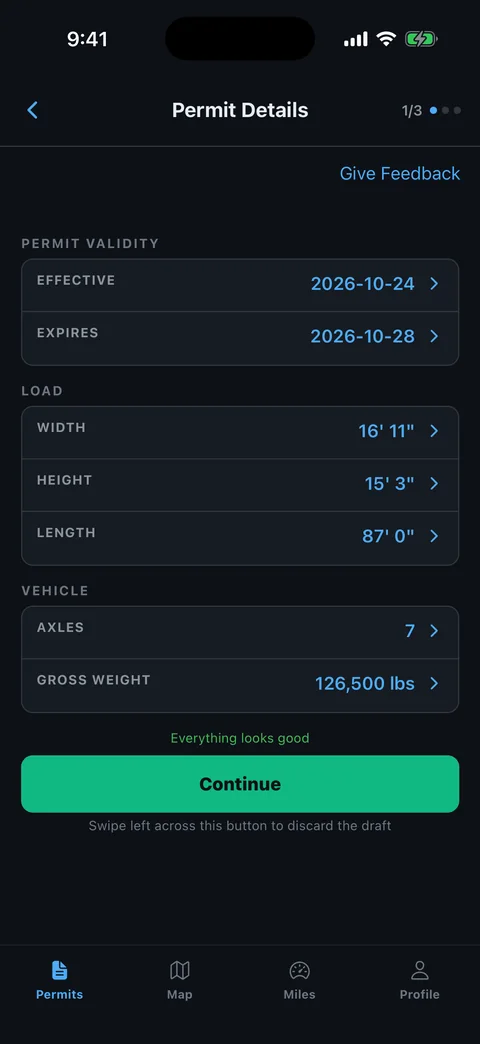
- Dimensions: Check loaded width, height, length, and overhang.
Describe a configuration change precisely to the permit office. The common permit-error guide helps prevent a previous job's measurements from carrying into the new trip.
How Do You Read North Dakota Driving Directions?
Trace the complete authorized highway sequence and locate every special instruction before navigation. The issued route can include direction around a structure or another operating condition that a general destination route would miss.
The NDHP general policy requires permits to designate the route and permits additional restrictions. It also explains that overheight routing can be affected by structures and clearances.
- Locate the start: Match the actual entry or pickup approach.
- Trace roads: Follow highway changes, directions, and connectors in order.
- Locate notes: Identify the structure or section affected by each instruction.
- Check the end: Clarify local access beyond the authorized highway sequence.
Ask the office about a route gap or a crossing that does not fit. The permitted-route planning guide helps organize a clear question using exact roads and locations.
How Do Current Load Restrictions Affect a North Dakota Permit?
Check current NDDOT road and load-restriction information alongside the issued permit. Restriction maps and permit maps serve different purposes. A route that appears in one reference still needs review against conditions affecting the actual movement date.
The NDDOT load-restriction page links the current order and ND Roads. It explains that spring restrictions are set and removed according to roadbed and weather conditions, rather than a single fixed calendar date.
- Current order: Check the roads you intend to use.
- Axle restrictions: Compare the applicable category with the load.
- Structures: Read relevant bridge and clearance information.
- Travel conditions: Check weather and the permit's movement window.
If the current information conflicts with the packet, obtain the permit office decision before entering that section. Do not interpret a proposed alternative on a traffic map as approval for the loaded vehicle.
How Do You Resolve a North Dakota Permit Conflict?
Bring the precise conflict to the NDHP permit office before using the affected authorization. Explain the current vehicle, load, route section, and condition involved. An edit to a saved route or another company's suggestion is not an issued permitting decision.
- Identify the permit: Have the full Receipt/Permit and attachments available.
- Name the issue: Describe the wrong field, map reference, road, or structure.
- Supply current facts: Use loaded dimensions and actual axle configuration.
- Retain the result: Keep revised issued material and replace outdated copies.
The official policy page provides the current reference starting point. After resolution, follow the PDF-permit-to-GPS guide to review readable directions in RouteAll.
Manually compare the start, every transition, and endpoint. RouteAll does not issue North Dakota permits or approve route changes; retain the written conditions while using navigation.
Read the North Dakota driving directions in order, then follow the oversize permit route turn by turn while current load restrictions apply.
The Permit Check In One Minute
For North Dakota, identify the issued Receipt/Permit and keep its complete directions and conditions available. Match the vehicle, trailer, loaded dimensions, axle configuration, and weight information. Read policy numbers as references to governing documents, then check the maps and attachments required for the actual category. Trace each highway change and locate special structure instructions. Check NDDOT's current restriction information because roadbed and weather conditions can change the route review. If a field, road, or map reference conflicts with the move, obtain the Highway Patrol permit office decision and retain the resulting documents. RouteAll can help compare readable directions with a map, but the driver must manually verify the route and keep its issued conditions.
Before You Roll
Keep the issued Receipt/Permit and the correct policy or map attachments together. Compare current NDDOT restrictions with the actual route and resolve conflicts before movement.
Further Reading
Sources And Scope
This guide explains how to read the state’s published permit material. Your issued permit and incorporated conditions govern the move. Check the linked agency material for updates.
- Oversize/Overweight Permit — NDHP E-Permits and basic single-load permit scope.
- Permit Policies — Category-specific policies, map purposes and seasonal/approved-equipment attachment requirements.
- Policy 9-6 — Permits for Oversize and Overweight Vehicles and/or Loads Excluding Workover Rigs — Receipt/Permit terminology, possession, configuration data, route and special restrictions, bridge analysis.
- North Dakota Load Restrictions — Current order, ND Roads, and weather/roadbed-based spring restriction process.